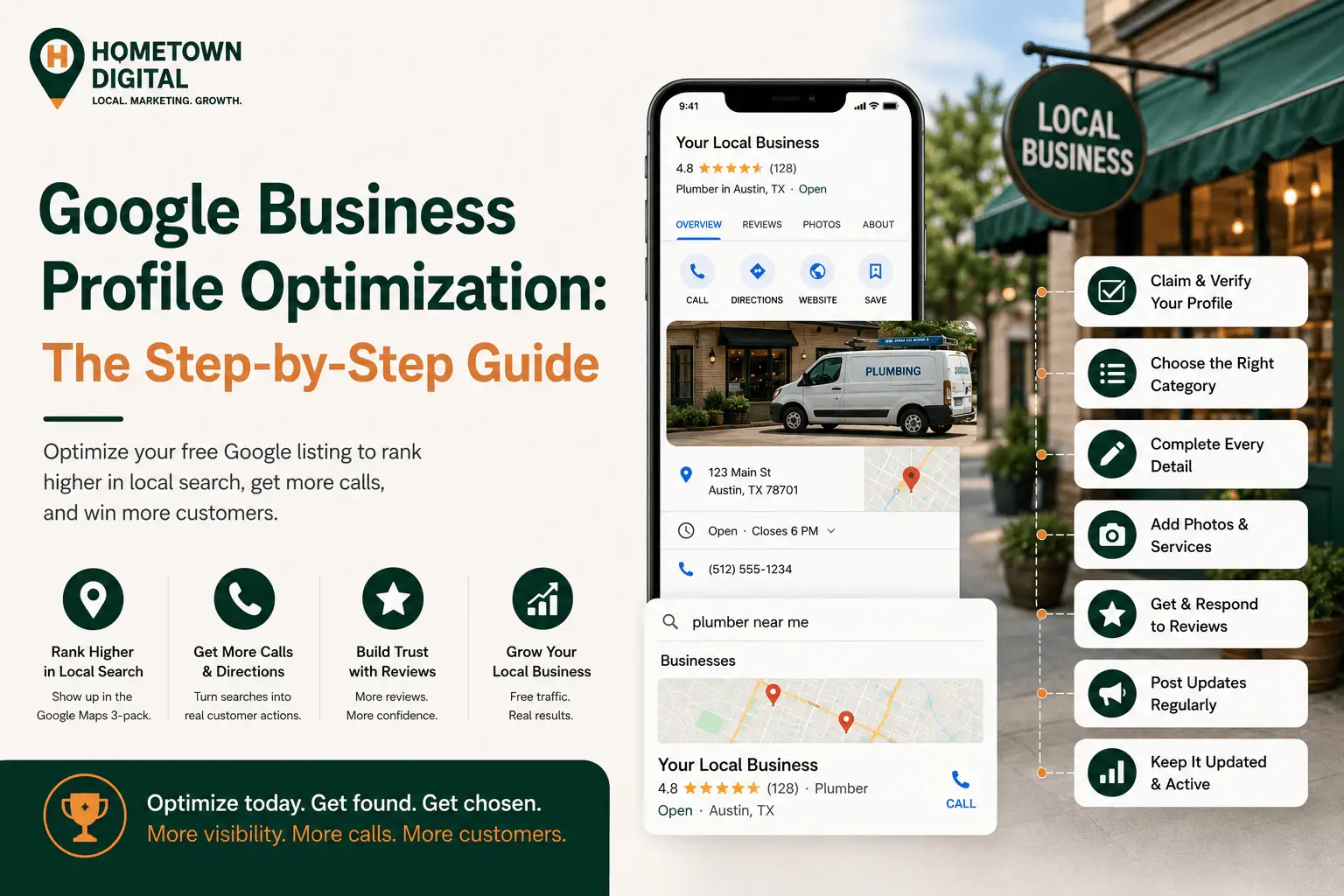
Someone in your town just pulled out their phone and searched “plumber near me.” Three businesses showed up in the map box at the top, and they called the first one. If you weren’t in those three, you didn’t lose the job to a better plumber. You lost it because your profile wasn’t built to win that spot.
Google Business Profile optimization is the process of claiming, verifying, completing, and actively maintaining your free Google listing so it shows up in the Google Maps 3-pack when local customers search. It’s the highest-leverage move most local businesses can make in local search, because Google Business Profile signals now carry the largest share of local ranking weight. Here’s how to do it, step by step, for 2026.
Why does your Google Business Profile matter more than your website for local search?
For local search, your Google Business Profile often matters more than your website. According to Whitespark’s 2026 Local Search Ranking Factors survey of 47 local SEO experts, Google Business Profile signals account for roughly 32% of what decides your spot in the local pack, the single largest category. Your website still matters. But your profile is what gets you into the map in the first place.
The map pack, those top three results with the little map, is prime real estate. It sits above the regular search results, and for a lot of local searches it’s the only thing people look at. With 80% of US consumers searching online for local businesses every week, and 32% doing it daily (SOCi Consumer Behavior Index, 2024), that box is where the calls come from.
There’s another shift worth knowing about. Google now watches how people interact with your listing. Clicks to your website, calls placed from your profile, and requests for directions have become ranking inputs in their own right, according to Whitespark’s 2026 data. In plain terms, a profile people actually use ranks better, which is why the steps below aren’t busywork. They’re what makes your listing look alive to Google.
Google’s own research backs this up. Customers are 2.7 times more likely to consider a business reputable when it has a complete Business Profile on Search and Maps, and 70% more likely to visit. A half-finished listing doesn’t just rank worse. It quietly tells people you might not be the safe choice. If you want the bigger picture of how this fits together, we walk through it in our complete guide to local SEO for small businesses. This post zooms in on the profile itself.
What is Google Business Profile optimization?
Google Business Profile optimization means setting up and maintaining every part of your free Google listing so it’s accurate, complete, and active. That covers your business category, contact details, hours, services, photos, reviews, and regular updates. A claimed but empty profile is not optimized. Optimization is the ongoing work that turns a plain listing into a source of calls and bookings.
You might still know this as Google My Business. Google renamed it to Google Business Profile back in 2022, but it’s the same free tool. What’s changed is how much it matters, and how much of the work is now ongoing rather than one-and-done.
How do you optimize your Google Business Profile step by step?
Optimizing your Google Business Profile comes down to nine steps, roughly in order of impact. Do them in order. The first few decide whether you’re eligible to rank at all, and the last few decide whether you stay ahead of the competition over time.
- Claim and verify your profile. Search for your business on Google, claim the listing if it exists, or create one if it doesn’t. Verify it (by postcard, phone, email, or video) so you actually control what Google shows.
- Choose the most specific primary category. This is the most important setting on the whole profile. Pick the category that matches your core service exactly, not a broad catch-all.
- Fill in every field. Business name, address, phone, website, hours, and a clear description. Keep your name, address, and phone number identical to how they appear on your website and other listings.
- Keep your hours accurate, including holidays. Wrong hours can push you down in results and send customers straight to a competitor.
- Add real photos, and keep adding them. Your storefront, your team, your work, your trucks. Fresh photos signal an active, real business.
- List your services and products. Spell out what you actually do, with short descriptions. This helps Google match you to the right searches.
- Build reviews consistently, and respond to them. A steady flow of recent reviews is one of the strongest ranking and trust signals you have.
- Post updates regularly. Offers, jobs you finished, seasonal reminders. Posting shows Google the profile is being actively managed.
- Check your profile monthly and keep it current. Google sometimes changes fields on its own, and competitors can suggest edits. Catch problems before they cost you calls.
If that sounds like a lot to stay on top of, it is, which is why Google Business Profile management is one of the services we handle for local businesses. But every step here is something an owner can do without paying anyone. Let’s break down the ones that move the needle most.
Why is your primary category the most important setting?
Your primary category is the single most important field on your Google Business Profile. In Whitespark’s 2026 survey, it ranked as the number-one individual local ranking factor. It tells Google which searches your business is even eligible to show up for. Get it wrong, and nothing else you do can fully make up for it.
Be specific. “Emergency Plumber” sends a stronger signal than “Plumber” if that’s what you do. “Pediatric Dentist” beats “Dentist” for a practice that specializes. Then add relevant secondary categories for the other services you offer. A quick trick: search your main service in your town, look at the three businesses in the map pack, and check which categories they’re using. That tells you what Google associates with your service in your specific market. Change it once, correctly, and every other improvement you make actually has a chance to pay off.
Do your business hours really affect whether you show up?
Yes, more than most owners realize. Being open at the time of a search is now one of the top five local pack ranking factors, according to Whitespark’s 2026 data. If someone searches at 8pm and your profile says you closed at 5, Google may quietly rank you below a competitor who’s open right then. And 47% of consumers will look for another business nearby if the one they wanted is closed (SOCi, 2024).
So keep your regular hours current, set special hours for holidays, and if you run emergency or after-hours service, make sure your profile reflects it. This is one of the lowest-effort, highest-impact things on the whole list, and it’s the one most businesses forget.
How many reviews do you need, and how do you get them?
Reviews are the second-biggest local ranking category, at roughly 20% of the weight in Whitespark’s 2026 data, up from 16% in 2023. And they gate whether people even consider you. 97% of consumers read reviews before choosing a local business, and nearly half (47%) won’t use one with fewer than 20 reviews (BrightLocal Local Consumer Review Survey, 2026). You need a steady, ongoing flow, not a one-time scramble.
The bar keeps rising, too. 31% of consumers now say they’ll only use a business rated 4.5 stars or higher, nearly double the 17% who said so a year earlier (BrightLocal, 2026). Recency matters more than raw count now, so a business with fresh reviews coming in every week can beat one sitting on a big but stale pile.
Getting them is simpler than most owners think. Ask every happy customer, in person or with a quick follow-up text or email that links straight to your review page. Respond to the ones you get, good and bad, because responding is its own trust signal. What you can’t do is buy reviews or offer discounts for them, which violates Google’s rules and can get your profile penalized. We cover the full playbook in our online reputation management guide.
How does your Google Business Profile affect AI search?
Your Google Business Profile now feeds AI search, not just Google Maps. 45% of consumers have used tools like ChatGPT, Gemini, or Perplexity to find a local business in the past year, up from just 6% the year before (BrightLocal, 2026). A complete, accurate, active profile is one of the signals these tools lean on when they decide which business to name.
Here’s the catch. Less than half of the businesses that lead in Google’s local results also show up in AI recommendations (SOCi Local Visibility Index, 2026). The overlap isn’t automatic. The good news is that the work you’re already doing, an accurate profile, consistent business info, and real reviews, is exactly what helps AI tools understand and recommend you. We break this down further in our guide to getting your local business recommended by ChatGPT and AI search.
What Google Business Profile optimization looks like for a real local business
Picture an HVAC company that’s been in business fifteen years and does great work, but almost never shows up in the map pack. When we look at profiles like this, the problems are usually the same. The primary category is set to “Air Conditioning Contractor” when most of their revenue is repair, so they’re eligible for the wrong searches. Their hours say they close at 5, even though they run emergency calls until 10. They’ve got eight reviews, all from two years ago. And they haven’t posted anything since they claimed the listing.
We see the same pattern across trades. A landscaper buried under a category that’s too broad. A roofer with no recent photos of finished jobs. An electrician whose reviews trickled to a stop the moment work got busy. The businesses that climb aren’t the ones with the biggest budgets. They’re the ones who treat the profile like a live tool instead of a form they filled out once.
None of that requires a rebuild. Fixing the primary category, adding accurate hours with after-hours service noted, setting up a simple system to ask every customer for a review, and posting a couple of times a month, that’s the whole turnaround. We’ve been in the trades ourselves, so we know owners don’t have hours to spend on this. The point is that it’s mostly consistency, not budget. That’s a theme we come back to often, and it’s the whole idea behind our guide to getting more customers without a big marketing budget.
Common Questions About Google Business Profile Optimization
Is Google Business Profile the same as Google My Business?
Yes. Google renamed Google My Business to Google Business Profile in 2022. It’s the same free tool for managing how your business appears on Google Search and Maps. If you see either name online, they’re talking about the same thing.
How long does it take to see results from optimizing my profile?
Some changes, like fixing your primary category or correcting your hours, can affect visibility within days. Reviews and posting build momentum over weeks and months. Google Business Profile optimization isn’t a one-time task, so the businesses that keep at it steadily are the ones that hold their spot.
Can I optimize my Google Business Profile myself?
Yes. Every step in this guide is something an owner can do for free from the Google Business Profile dashboard. It takes time and consistency more than technical skill. Many owners handle the basics themselves and bring in help only when they want to compete in a crowded market or free up their own time.
How often should I update my Google Business Profile?
Aim to post something at least a couple of times a month, respond to reviews as they come in, and do a quick check of your core info once a month. Update your hours right away whenever they change, especially around holidays.
Does my Google Business Profile help if I don’t have a storefront?
Yes. Service-area businesses, like plumbers, electricians, and landscapers, can set a service area instead of showing a physical address. You still get all the same benefits, and getting reviews from customers across the areas you serve helps you rank throughout your territory.
What’s the fastest way to move up in the map pack?
Start with your primary category and your reviews. The category decides which searches you’re eligible for, and reviews are the second-heaviest ranking factor. Fixing a wrong category and turning on a steady stream of recent reviews usually does more, faster, than anything else on the list.
Ready to show up when customers search?
Want to see where your profile actually stands right now? Run it through our free Google Business Profile checker, and you’ll get a quick read on what’s helping you and what’s holding you back. And if you want the full picture of your online presence, grab a free website audit. We’ll look at your site, your Google presence, and tell you exactly what we’d fix first to get you more calls.