
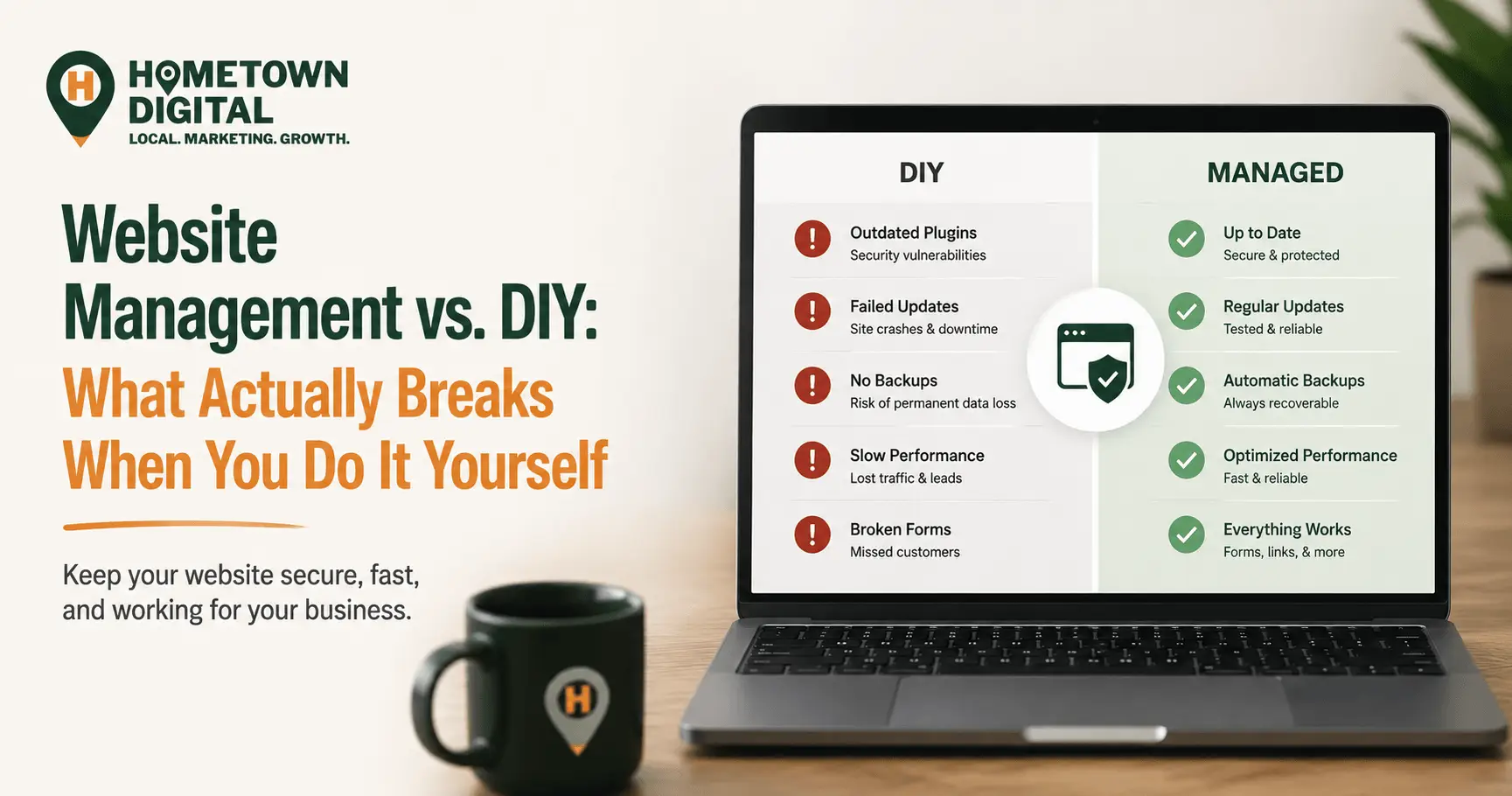
You bought a website. Now it keeps nagging you to run updates, take backups, and patch some vulnerability, and you’re wondering if you can just do all of that yourself. The honest answer: going DIY works fine for most local businesses, right up to the moment something breaks, and the repair by then usually runs higher than a care plan ever would have. Running a site comes down to keeping the software current, the plugins patched, the backups going, the security locked, and the pages quick. You can absolutely do it solo. It just has a habit of falling over at the worst possible moment.
We’ve built and looked after hundreds of local business sites, so we’ve watched this go both ways. A few owners really do stay on top of it. Many more intend to, then get pulled back into running the business itself. What follows is a plain look at what the work involves, what usually breaks when you handle it alone, and how to tell which side of the line you fall on. For the wider picture of what makes a local site work at all, this one pairs with our complete guide to small business website design.
What does website management actually involve?
Website management is the steady work that keeps a site secure, quick, and functioning once it’s live: software and plugin updates, security monitoring, routine backups, uptime checks, fixes for broken links and forms, and performance tuning. It’s not the build. It’s the upkeep that keeps the build running, the same way a work truck needs oil changes and not only a down payment.
This carries more weight than owners tend to expect, and it comes down to what most sites are built on. WordPress runs roughly 40% of all websites, per W3Techs, so odds are decent yours sits on it as well. It’s powerful and flexible, but that flexibility rides on plugins and themes that all have to stay current. Leave them be and they age badly. The ongoing website management we run for clients is really just this handful of small, repeating jobs done on a schedule rather than whenever a spare hour shows up:
- Updating WordPress core, plugins, and themes safely, with a backup taken first
- Watching for security vulnerabilities and patching them quickly
- Running automatic backups kept off the site itself
- Tracking uptime so you hear about an outage before a customer does
- Confirming forms, buttons, and mobile layouts still work after every change
- Holding load times down so the site doesn’t quietly cost you calls
What breaks when you manage a website yourself?
The failures we run into most: outdated plugins that crack open security holes, updates that clash and knock the site offline, backups that aren’t there when something goes wrong, slow pages that quietly shed customers, and broken forms or mobile layouts nobody caught. Any one of them is minor by itself. Stacked together, they’re the reason a neglected site slowly stops pulling in work.
Here’s what usually goes sideways, ordered by how often we see it:
1. Plugins fall behind and turn into open doors
This is the big one. Patchstack, which tracks WordPress security for the whole industry, logged 11,334 new vulnerabilities across the WordPress ecosystem in 2025, up 42% on the year before. And 91% of them turned up in plugins rather than WordPress itself. What blindsides owners is the pace: Patchstack found that roughly half of high-impact vulnerabilities were exploited within 24 hours of going public, and the most heavily targeted within about five hours. So “I’ll get to it next week” isn’t a minor delay. It’s an open window.
One nearby myth worth putting down: paying for a premium plugin doesn’t buy you safety. Patchstack found premium plugins and themes were linked to about three times as many known, actively exploited vulnerabilities as free ones. The price tag isn’t the protection. Staying current is.
2. An update clashes and takes the whole site down
Most WordPress updates are routine. Most. Now and then a plugin update won’t get along with another plugin, or with your theme, and you’re staring at a white screen where the homepage used to be. Run that update with no backup and no staging copy to test on, and now you’re debugging a live, broken site while customers are trying to reach you. Patchstack also counted more than 1,600 vulnerable plugins and themes pulled from the official WordPress directory in a single year, though plenty stay installed on live sites long afterward. Nobody took them out, because nobody was keeping an eye on them.
3. There’s no backup until the day you need one
Backups are the most-skipped job in DIY management, and the one that hurts most when it’s missing. A solid backup shrinks a disaster to a ten-minute rollback. No backup turns a bad update or a hack into a full rebuild. If you can’t say where your latest backup lives and when it last ran, start there, whether or not you keep running the site yourself.
4. The site gets slow, and slow costs you calls
Sites don’t stay fast by themselves. Images pile up, plugins stack, caching drifts, and load times creep upward. That creep costs money. Google’s own research found 53% of mobile visitors bail on a site that takes more than three seconds to load, and Akamai found even a one-second delay can shave conversions by around 7%. A slow site never announces itself. It just means fewer of the people who found you end up calling. If your phone’s been quieter than your traffic says it should be, that’s often part of why your website isn’t bringing in customers.
5. Forms and mobile break silently
This is the one that really stings. An update shifts something, your contact form quits sending, and you never know, because a dead form doesn’t email you an error. It simply stops handing over the leads that used to land in your inbox. Mobile layouts go the same way: most of your visitors are on a phone, and a button that slid off-screen after an update can cost you jobs for weeks before a single person mentions it. On your desktop the site looks perfect. On the device most of your customers use, it’s quietly falling apart.
Is DIY website management really cheaper?
On paper, DIY reads as free. In practice it costs your hours plus the odds of a pricey emergency. A managed care plan is a set monthly fee. One hacked site, one bungled update, or a single week of downtime in your busy season usually costs more than a whole year of that plan, counting both the repair bill and the calls you miss. Set against what a small business website costs to build in the first place, the ongoing care is a small slice of that.
Our own care plans start at $45 a month, covering hosting, security, updates, and troubleshooting. We’re not floating that to push a plan on you. We’re floating it because it’s the fair comparison: $45 a month next to the bill for one emergency repair, or the quote requests you never saw because the form was down. Here’s the tradeoff spelled out:
| Doing it yourself | Managed care plan | |
|---|---|---|
| Monthly cost | Reads as free, but it’s your time plus the cost of a bad week when something breaks | A predictable flat fee, often less than one repair bill a year |
| Updates | Run whenever you remember, with no safety net if one clashes | Run and tested on a schedule, with a backup taken first |
| Security | You’re on your own against bots that scan for outdated plugins | Monitored, patched fast, with a plan when a vulnerability drops |
| Backups | Usually absent until the day you actually need one | Automatic and stored off the site, so a bad update is a quick rollback |
| When it breaks | You hear about it when a customer tells you, then scramble to fix it | Caught by monitoring, often before you would have noticed |
| Best for | Owners with the time, the routine, and the technical comfort to keep up | Owners who would rather answer the phone than babysit a website |
The real math isn’t “free versus paid.” It’s “small predictable cost versus large unpredictable one.” That’s the same call you’d make on upkeep for any tool you lean on to earn a living.
When does managing your own website make sense?
DIY makes sense when you’ve got the time, the technical comfort, and an update-and-backup routine you genuinely stick to. If your site is simple, you like this kind of thing, and you keep current, carry on. Plenty of local businesses don’t need a care plan. The trouble creeps in when “I’ll get to it” quietly turns into the entire plan.
We’d sooner be straight with you than sell you into something. If you’re handy, you keep real backups, and you look at the site regularly, you can run this yourself and run it well. Where it tends to break down is with owners who are flat-out slammed, the folks running crews, fielding calls, and quoting jobs all day. For them the website is the first thing to slip and the last thing on their mind until it fails. If that’s you, a plan isn’t a knock on your ability. It’s about not burning your one free evening a week wrestling a plugin conflict.
What this looks like for a local business
Picture a landscaper heading into peak season. Their site runs on WordPress with a few plugins, built a couple of years back and mostly untouched since. One weekend an auto-update fires and quietly kills the quote request form. No error, no alert. The site still looks flawless. For three weeks, every homeowner who fills that form out gets a spinning button and moves on to the next company. The landscaper has no clue until a repeat customer mentions, “I tried to reach you online and nothing happened.”
That’s not some rare horror story. It’s the everyday way DIY sites bleed leads, with no dramatic crash, just a small quiet failure during the exact weeks a business can least afford one. Since we’ve spent years around the trades and managed a pile of these sites, we build the dull safeguards in on purpose. A backup before every update. Monitoring that flags a form gone dark. A fast rollback when something clashes. None of it is glamorous. Every bit of it separates a site that keeps the phone ringing from one that doesn’t.
Common questions about website management
Do I really need website maintenance if my site works fine right now?
A site that works today sits one outdated plugin away from a problem tomorrow. Maintenance isn’t about repairing what’s visibly broken. It’s about heading off the security holes, slowdowns, and silent form failures that accumulate over time. “Works fine right now” is precisely when to put a routine in place, ahead of the emergency instead of after it.
What actually happens if I never update my WordPress site?
Two things, slowly and then all at once. Slowly, the site grows more exposed as unpatched plugins stack up, while automated bots comb the web for exactly those gaps. All at once, one of those gaps gets exploited, or an update you finally run after months collides with everything and drops the site. Small regular updates head off both. Skipping them just shoves the cost onto a worse day.
How much should website management cost for a small business?
For a typical local business site, ongoing management usually lands at a modest monthly fee rather than a big project cost. Our plans start at $45 a month and cover hosting, security, updates, and troubleshooting. The question that matters isn’t only the price, it’s what comes with it: updates, backups, security, and someone to call when something breaks.
Can I manage the site myself and only hire help when something breaks?
You can, and some owners do. The catch is that break-fix help usually costs more per incident than steady management, and it shows up after the damage is done, once the site is already down or the leads are already gone. Ongoing management runs cheaper partly because it prevents the very emergencies that break-fix then bills you to clean up.
Does website management actually help my SEO?
Indirectly, yes, and more than most owners realize. Search engines weigh speed, security, and uptime, and maintenance protects all three. A slow, hacked, or frequently down site sends the wrong signals and drags you lower in results. Keeping the site fast and healthy isn’t a side SEO task. It’s the ground the rest of your local search work stands on.
Ready to find out where your site stands?
If you’re not sure whether your site is quietly slipping behind on updates, security, or speed, get a free website audit from us. We’ll go through your specific site and tell you what’s working, what’s exposed, and what we’d fix first. No pressure, just a straight read on where you stand.