You’ve got a website. It looks fine. Maybe you paid good money for it a couple of years ago. But the phone isn’t ringing, no one is filling out the contact form, and you’re starting to wonder whether the whole thing was worth it. Here’s the part that’s hard to hear: when a website doesn’t bring in customers, the problem usually isn’t how it looks. It’s how it works.
Is your website not generating leads, or just not getting traffic?
A website that isn’t generating leads has one of two problems. Either it isn’t getting enough of the right visitors, or it’s getting visitors and giving them no reason to act. The first is a traffic problem. The second is a conversion problem. Before you change a single thing, you need to know which one you actually have.
Here’s how you can tell the difference. Pull up your site’s traffic in Google Analytics, or just think honestly about it. If almost nobody is landing on your site in the first place, you’ve got a visibility problem, and the fix starts with getting found, not redesigning your homepage.
That’s the work of local SEO for small businesses and a well-optimized Google Business Profile, which is where most local search traffic actually comes from. But if people are arriving and leaving without calling, more traffic won’t save you. You’d just be pouring more visitors into a bucket with a hole in it.
This post is about that hole, the conversion problem, because it’s the one most local businesses have and the one most agencies quietly ignore. For the full picture of what a local business site needs from the ground up, start with our complete guide to small business website design.
Is your site too slow or hard to use on a phone?
Speed and mobile experience are the two fastest ways to lose a customer before they ever see what you offer. Google found that 53% of mobile visitors abandon a page that takes longer than three seconds to load. And since roughly 60% of all web traffic now comes from phones, according to Statista, a site that stumbles on mobile is quietly losing most of its audience.
The numbers get worse the slower you go. Research from Akamai found that every one-second delay in load time cuts conversions by about 7%. A 2024 study from Portent put it in starker terms: a site that loads in one second converts roughly three times better than one that takes five seconds. For a local business, that gap is the difference between a booked job and a call that never happened.
Test it yourself, and test it the way a real customer would. Pull up your own site on your phone, on cell data, not your office Wi-Fi. Does it load fast? Can you tap your phone number and have it dial? Is the text readable without pinching and zooming? Are the buttons big enough to hit with a thumb? If the answer to any of those is no, you’ve just found leads you’re losing every single week. And most of these are fixable without touching the rest of the site.
Does your website make it obvious what to do next?
Every page on your site should make the next step impossible to miss. For a local business, that step is almost always a phone call or a quick form. HubSpot found that websites with clear calls to action generate twice as many leads as those without. If a visitor has to hunt for your number, most of them simply won’t.
We’ve audited enough local sites to know the pattern by heart. The phone number is stuck in the footer, or worse, buried on a contact page two clicks away. The homepage offers five different things to do and no clear priority. On mobile, there’s no tap-to-call button at all. Every one of those is friction, and friction kills calls.
Fix it by picking one primary action per page and making it obvious. Put your phone number in the header of every page, big enough to read and tappable on a phone. Add a short, plain-English prompt near the top, something like “Call us for a free estimate.” You’re not trying to be clever here. You’re trying to make it dead simple for a ready-to-buy customer to reach you before they bounce back to Google and call the next name on the list.
The same goes for your contact form, if you use one. Every extra field you ask for costs you submissions. A local business almost never needs more than a name, a phone number, and a short note about the job. Asking for a mailing address, a preferred contact time, and how they heard about you might feel thorough, but each box is one more reason for a busy person to quit halfway through. Keep it short and more of them will actually hit send.
Would a stranger trust your website in five seconds?
People decide whether to trust a business almost instantly, and your website design drives a lot of that snap judgment. Research from Stanford found that 75% of users judge a company’s credibility based on how its website looks. For a local business, trust also comes from proof: real reviews, real photos, and clear signals that you’re a legitimate, local operation.
Think about who’s on the other end. A homeowner is about to let a stranger into their house, or hand over a few thousand dollars for a new roof. They’re a little nervous, and they’re scanning for reasons to trust you, or reasons to keep scrolling. Reviews are the strongest signal you have. BrightLocal’s research has consistently shown that the large majority of consumers read online reviews before choosing a local business, so pulling your best Google reviews directly onto your site is one of the highest-value additions you can make. If you’re not sure how to build that review base, we walk through it in our guide on how to get more customer reviews.
The rest of the trust layer is simpler than people think. Use real photos of your team, your trucks, and your actual finished work, not stock images of models in clean hard hats. Show your license number, your service area, and any guarantees you stand behind. Because we’ve spent time in the trades ourselves, we know the customer isn’t looking for slick. They’re looking for real, local, and clearly good at the job. Give them that in the first few seconds and you’ve earned the call.
One more thing quietly builds trust: make sure your business name, address, and phone number match everywhere a visitor might check. If your website lists one phone number and your Google listing shows another, a careful customer notices, and a little doubt creeps in. Consistency reads as competence, and competence is what gets you the call over the guy down the road.
Does your website talk about the customer, or just about you?
Most underperforming local sites talk about the business when the visitor only cares about their own problem. “Family owned since 1998.” “Committed to quality and customer satisfaction.” None of that answers the question in the customer’s head, which is usually “Can you fix my problem, and how fast?”
The fix costs nothing but a rewrite. Lead with the customer’s problem and the outcome they want. Compare two homepage openers for an HVAC company. The first: “We are a full-service heating and cooling company committed to excellence and customer satisfaction.” The second: “AC out in this heat? We answer the phone, and we can usually be there same day.” The second one gets the call, because it speaks to the person instead of about the company.
You can still tell your story. Your years in business and your reputation matter, and they belong on the page. Just put them to work in service of the customer’s decision, a little lower down, as proof, after you’ve already told the visitor you can solve the exact problem that brought them there.
What should you fix first?
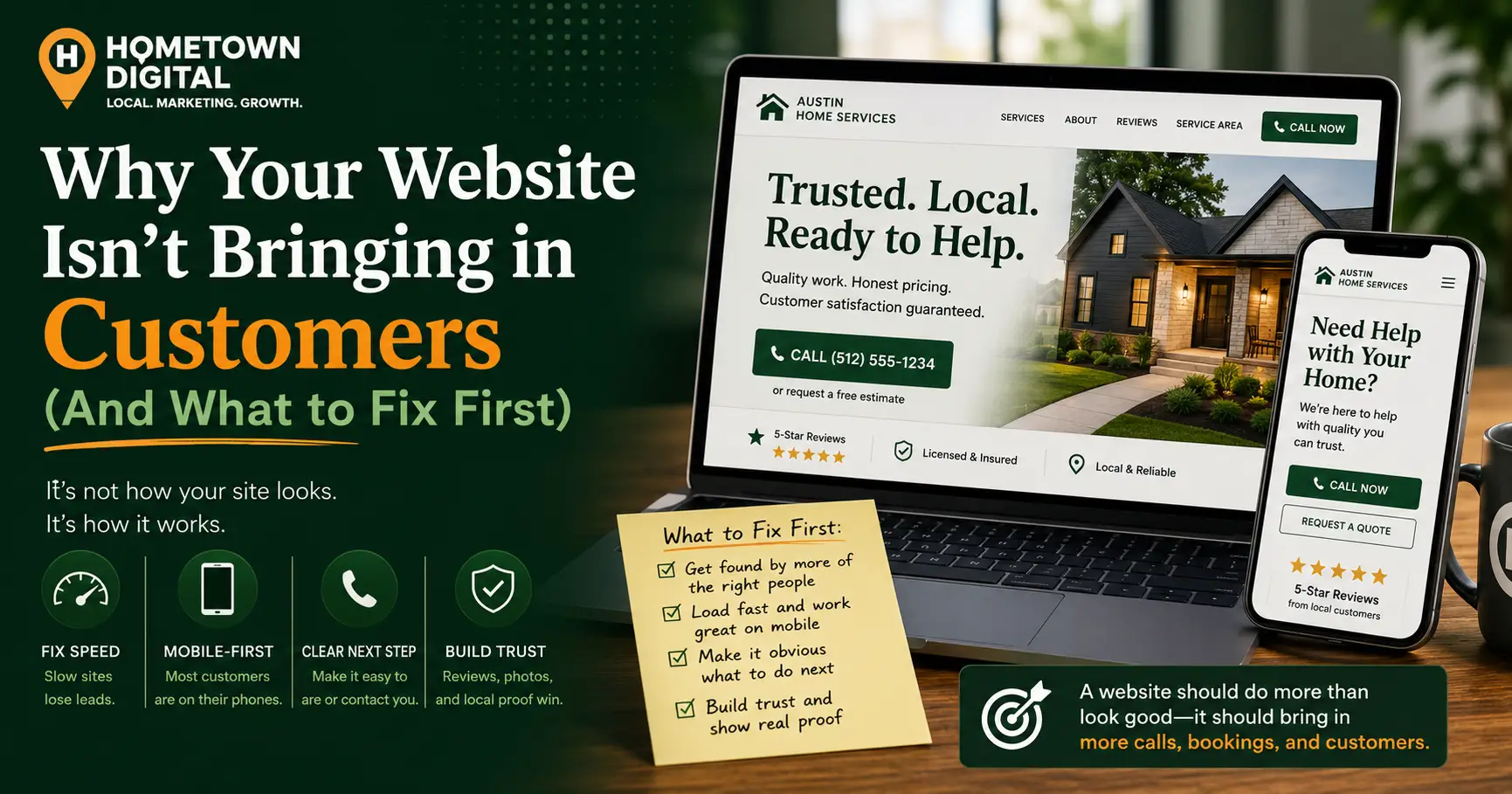
Fix your website in this order: make it fast and mobile-friendly, make the next step obvious, add trust signals, then sharpen the copy to focus on the customer. Almost all of these are targeted fixes, not full rebuilds, which means you can start recovering leads without spending thousands on a brand-new site.
Here’s the priority list we use when we audit a local business site:
- Test speed and mobile first. Load your site on a phone on cell data, fix slow-loading images, and clean up anything that’s hard to tap or read. This protects every other improvement you make.
- Make the next step obvious. Add your phone number to the header on every page, turn on click-to-call for mobile, and put one clear prompt near the top of the page.
- Add proof. Pull your best Google reviews onto the homepage, swap stock photos for real ones, and display your license and service area where visitors can see them.
- Rewrite the top of your homepage. Lead with the customer’s problem and the outcome, not your company history.
- Only then, ask whether you need a rebuild. If the site is broken in ways patches can’t reach, it may be time to start fresh.
That last point matters. Sometimes the bones really are bad, and patching a site built on a slow, dated platform costs more over time than replacing it. If you’re weighing that decision, our breakdown of what a small business website actually costs lays out the real numbers so you can decide with your eyes open.
What does this look like in practice?
Here’s a realistic example. A plumber comes to us frustrated. He ranks decently, he’s getting clicks from Google, but the phone isn’t ringing the way the traffic suggests it should. On paper, everything looks fine, which is exactly why it’s so aggravating.
When we audit the site, the problems show up fast. It takes about six seconds to load on a phone. The phone number is sitting in the footer with no tap-to-call. There’s not a single review anywhere on the page. And the homepage opens with “Locally owned and operated since 2004,” which tells a panicked customer with a flooded kitchen exactly nothing.
None of that needs a rebuild. We compress the images and get load time under three seconds. We add a tap-to-call number to the header on every page. We pull twelve of his Google reviews onto the homepage. And we rewrite the top of the page to read “Need a plumber today? We answer the phone and can usually be out same day.” Same traffic, same rankings. But now the visitors who were already showing up finally have a reason to call. That’s the whole game.
Common Questions About Websites That Don’t Convert
How do I know if my website has a traffic problem or a conversion problem?
Check whether people are actually landing on your site. If your traffic is very low, you have a visibility problem, and the fix is local SEO and your Google Business Profile. If you’re getting steady traffic but few calls or form fills, that’s a conversion problem on the page itself. Most local businesses have a bit of both.
How fast should my website load?
Aim for under three seconds, and ideally closer to one or two, especially on mobile. Google found that 53% of mobile visitors leave a page that takes longer than three seconds to load. Slow, uncompressed images are the most common culprit and usually the easiest thing to fix.
Do I need a new website, or can I fix my current one?
Most sites that aren’t converting need targeted fixes, not a full rebuild. Speed improvements, a clear call to action, reviews, and better copy can usually be added to your existing site. A rebuild makes sense when the site is built on a slow or outdated platform that patches can’t rescue.
How many reviews should I show on my website?
Show a handful of your strongest, most recent Google reviews on your homepage and your main service pages, rather than trying to display every one. The goal is to reassure a nervous visitor quickly. Keeping them current matters more than the raw count.
Why is my website getting traffic but no phone calls?
Usually because the site gives visitors no easy way to act, or no reason to trust you yet. A buried phone number, no click-to-call on mobile, missing reviews, and copy that talks about the company instead of the customer all quietly cost you calls. These are conversion problems, and they’re fixable without starting over.
Does a more attractive website automatically convert better?
Not on its own. Good looks build initial trust, but an attractive site with a hidden phone number, slow load time, and no reviews still won’t generate leads. Function beats polish. The best-converting local sites are clear, fast, and easy to act on, not just nice to look at.
Ready to find out what’s actually holding your site back?
If your website isn’t bringing in customers and you’re not sure why, get a free website audit from us. We’ll look at your site specifically and tell you what’s converting, what isn’t, and what we’d fix first. No pressure, just a straight answer about where your leads are leaking.