
It’s the first warm Saturday in April. A homeowner looks at a yard that took a beating over winter, grabs her phone, and searches “landscaper near me.” She’ll open three websites. One of them gets the estimate request.
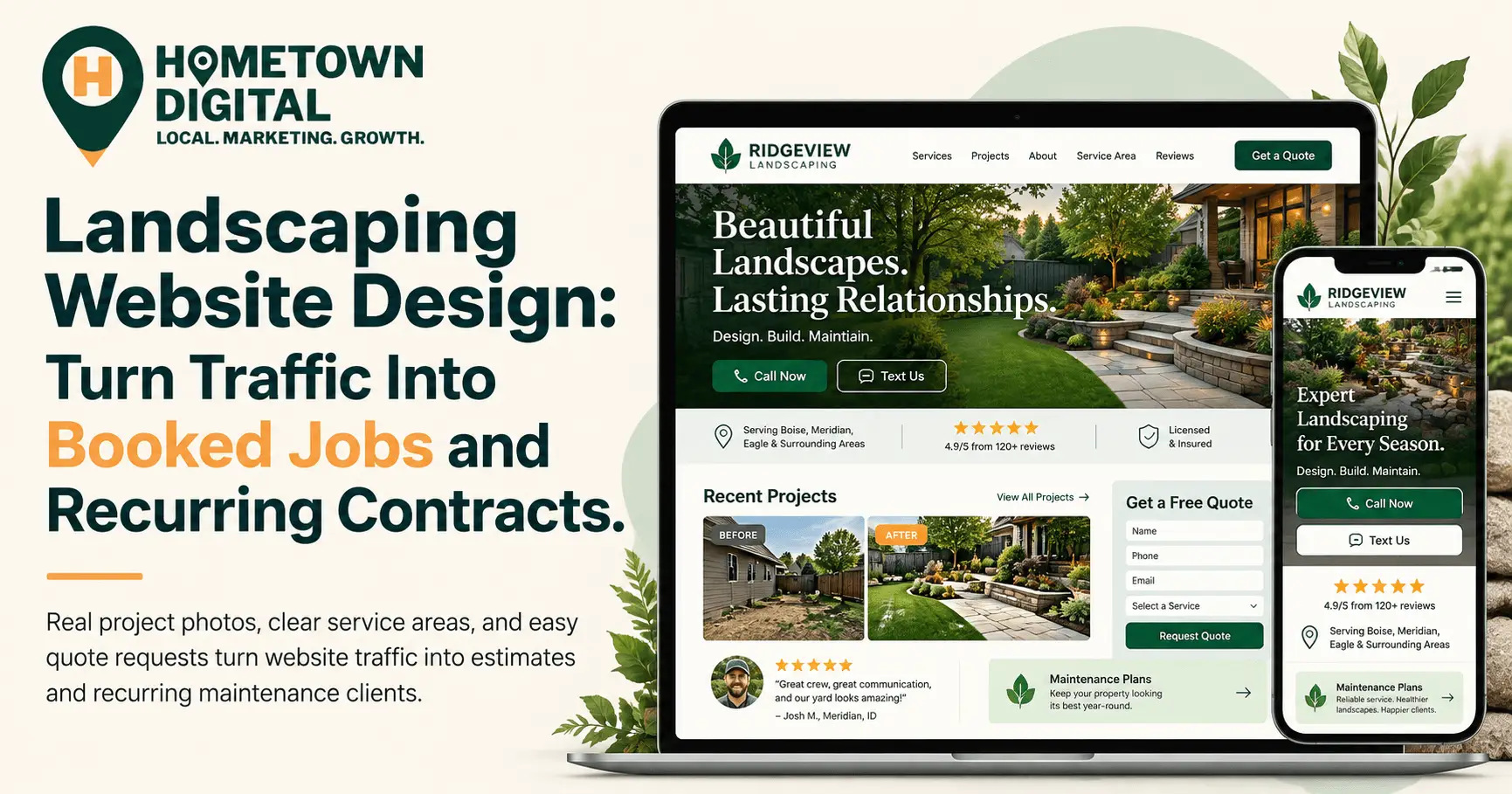
That pick usually comes down to landscaping website design. The site that wins shows real project photos, makes the service area obvious, puts recent reviews where she can see them, and lets her request a quote from her phone in under a minute. The sites that win for years also sell a recurring maintenance plan, so one spring cleanup becomes a customer who renews every season.
Why do most landscaping websites fail to book jobs?
Most landscaping websites fail because they look like every other landscaper’s site. Stock photos of perfect lawns, a vague list of services, no clear service area, and a contact page buried two clicks deep. A homeowner comparing three companies has no reason to pick yours, so they pick the one that made it easiest to ask for a quote.
And the competition is real. IBISWorld counts 556,238 landscaping businesses in the U.S. in 2026, in a $176.7 billion market where even BrightView, the largest company, holds a small slice. For a local crew, that’s good news. The market gets won town by town, and your website is where a stranger sizes you up before calling.
We’ve done landscaping work ourselves, so this one stings. Most crews do excellent work that never shows up online. There are hundreds of before-and-after photos on the truck phone and three stock images on the website. It’s the most common thing we see when we review sites for landscaping companies.
For the bigger marketing picture, start with our complete playbook for marketing home service businesses. This post sticks to the website.
What does good landscaping website design include?
A landscaping website that books jobs needs eight things: real before-and-after project photos, separate pages for each core service, a clearly listed service area, recent reviews on the page, a mobile quote form, tap-to-call and text buttons, a maintenance plan page, and fast load times. Each one removes a reason for a homeowner to keep shopping.
| Website element | Why it matters for landscapers | The mistake we see most |
|---|---|---|
| Before-and-after project gallery | Landscaping is bought with the eyes. | Stock photos, or a gallery with no captions |
| Separate service pages | Maintenance and install buyers want different things. | One “Services” page listing everything in bullets |
| Service area page | Tells homeowners and Google exactly where you work. | The city name only appears in the footer |
| Recent reviews on the site | Shoppers read reviews, then visit the site. | A testimonials page last updated years ago |
| Mobile quote form | Most visits come from a phone. | A form with a dozen required fields |
| Tap-to-call and text buttons | Some people call. Plenty would rather text a photo. | A phone number saved as an image that cannot be tapped |
| Maintenance plan page | Turns one-time jobs into recurring revenue. | Maintenance is one bullet point, or missing entirely |
| Fast load time | Slow galleries lose visitors. | Uncompressed photos straight off the phone |
If we had to pick where to start, it’d be the quote form. Then the photos.
Why do project photos matter so much on a landscaping website?
Project photos matter because landscaping is a visual purchase. A homeowner can’t judge a plumber’s pipe work, but they can judge a patio. Real before-and-after photos from your own jobs prove you can do the work and show your style. They also give the homeowner something to point at when they call: “I want something like that.”
Homeowners are hiring out more of this work, too. Houzz’s 2026 U.S. Outdoor Trends Study found that 71% of homeowners hired a professional for outdoor renovation projects, up from 65% in 2024 and the highest share the study has recorded. Landscape contractors were the most commonly hired pros, at 26%. Those homeowners are scrolling portfolios before they pick up the phone.
How should you organize a landscaping project gallery?
- Pair every “after” with a “before” from the same angle. The transformation is what sells.
- Group projects by service. Patios and hardscape, beds and plantings, lawn renovation, lighting, cleanups.
- Caption each project with the town and the job. A line like “Paver patio and fire pit, [your town]” helps homeowners picture their own yard and gives Google location context.
- Shoot horizontally in morning or late-afternoon light, with the mess cleaned up.
- Compress images before uploading. A gallery that takes eight seconds to load on a phone is a gallery nobody sees.
A quick confession from our time on crews: nobody remembers to take the “before” photo. Make it part of the job checklist, right next to calling 811 before you dig.
How should a landscaping website use reviews?
Put recent reviews on the pages where people decide, especially next to the quote form and on each service page. Homeowners usually read reviews on Google first, then come to your website to confirm. Your site should reflect the same consistent praise, and it should look current, because older reviews carry far less weight than they used to.
BrightLocal’s 2026 Local Consumer Review Survey shows how that path works. After reading positive reviews, 54% of consumers go to the business’s website next, up from 32% when BrightLocal last asked in 2019. The same survey found 74% of consumers only care about reviews written in the last three months, and 47% won’t use a business with fewer than 20 reviews.
That three-month window is a real problem for landscapers, because reviews from the spring rush look stale by August. The fix is asking after every job, including routine maintenance visits, and showing reviews on your site with a live feed instead of a testimonials page you update once a year. We cover the asking part in our guide to getting more customer reviews. BrightLocal also found 36% of consumers give extra weight to a review with a photo attached, so ask happy customers to include a shot of the finished yard.
How can a landscaping website sell recurring maintenance contracts?
A landscaping website sells recurring contracts by giving maintenance its own page, with named plans, what’s included, how often the crew shows up, and an easy way to sign up. Most landscaper sites mention maintenance in a single bullet point. A dedicated page turns a one-time install customer into someone who pays you every month of the season.
This is the page most landscaping websites skip, and it’s where the steadiest money is. Installs are lumpy. Maintenance agreements are what keep a crew busy in a slow July.
What should a maintenance plan page include?
- Two or three named plans. For example, mowing only, a full-service plan that adds beds and trimming, and a premium plan with seasonal color and irrigation checks. Named tiers are easier to say yes to than “call for details.”
- What’s included, in plain language. Visit frequency, which months the plan runs, and what the crew does on each visit.
- Pricing guidance. A “starting at” price, or the factors that change it, like lot size and frequency.
- A sign-up path that doesn’t require a phone call. A short form or online booking, with card payment or autopay.
- Off-season services. Fall cleanups, leaf removal, dormant pruning, and snow removal if you offer it, so the page keeps earning after mowing stops.
Customers increasingly expect to pay online. Jobber’s Home Service Economic Report for Q1 2026, drawn from more than 400,000 service professionals, found digital payments made up over 51% of transactions on its platform, up 7% year over year. Online sign-up plus autopay removes the biggest friction point in recurring service.
Every install customer should also get a follow-up email pointing to the maintenance page. They already trust you. Good landscaping website design just makes it easy to keep saying yes.
Should a landscaping company put prices on its website?
Yes for maintenance plans, and usually a range for design and install work. Publishing starting prices filters out shoppers who were never going to hire you and gives serious buyers the confidence to fill out the form. You don’t need exact quotes online. You need enough guidance that a homeowner knows they’re in the right ballpark.
The truth is, this one makes a lot of landscapers nervous. Sometimes a number does scare people off, and that’s fine, because those are often the people who would have burned an hour of your time on a site visit and then hired the cheapest crew in town. For installs, a line like “most of our patio projects fall between $X and $Y” does the job. Use your own real numbers, though. A made-up range will bite you at the estimate.
How fast does a landscaping website need to load on a phone?
Fast enough that the homepage and first photos appear in about two to three seconds on a phone. Landscaping sites are photo-heavy, which makes them slower than most, and a slow gallery quietly kills quote requests. Compressing images and serving them in a modern format like WebP is usually the single biggest speed fix.
Small gains add up. In Google and Deloitte’s “Milliseconds Make Millions” study, a 0.1-second improvement in mobile site speed lifted retail conversion rates by 8.4%. That research covered retail and travel brands, not landscapers, but anyone selling to someone on a phone faces the same math.
Also make the phone number tappable and let the quote form accept photo uploads. Plenty of homeowners would rather send a picture than describe the problem.
How does a landscaping website help you rank for “landscaping near me”?
Your website supports local rankings by telling Google exactly what you do and where you do it. Separate service pages, a service area page that names the towns you cover, and a business name, address, and phone number that match your Google Business Profile all help you show up for “landscaping near me” searches.
If the site only says “serving the greater metro area,” Google has to guess. And Google isn’t the only one reading it anymore. BrightLocal’s 2026 survey found that 45% of consumers now use AI tools like ChatGPT for local business recommendations, up from 6% a year earlier. Those tools favor clear, specific information about services and towns. For the full picture on rankings, see our complete guide to local SEO for small businesses.
What does this look like for a real landscaping company?
Picture a four-person crew in a growing suburb that runs weekly maintenance from April through October and handles a dozen patio and planting installs a year. Their website is a single page: one stock photo, a list of services, and a phone number. Here’s what fixing it looks like in practice.
The owner pulls 20 of the best before-and-after pairs off the company phone and captions each one. Maintenance and design-install get separate pages, because a homeowner who wants weekly mowing and one who wants a $15,000 patio aren’t reading for the same thing. A service area page lists the six towns the crew actually drives to.
Then the maintenance page goes up with three named plans, a starting price, and a short sign-up form tied to autopay. A live Google review feed lands beside the quote form, and the crew starts asking for a review after every install and every first maintenance visit. None of it takes a big budget. It takes a free weekend, which the busy season never leaves.
Do you need a new landscaping website, or can you fix the one you have?
If your current site runs on a platform you control and loads reasonably fast, most of these fixes can happen without a full rebuild. If it’s a single page with no room for service pages, a gallery, or a maintenance plan page, a rebuild is usually faster and cheaper than patching. The deciding question is whether the site has room to grow.
Our team at Hometown Digital has 25+ years of combined experience in web design and local marketing, and we’ve worked in the trades, landscaping included. We’ve been the ones loading the trailer at 6 a.m., so we build landscaping sites around what brings in calls, with galleries and maintenance plan pages built in. Packages start at $295 setup and $45 a month, and builds take two to three weeks, so a winter build is live well before spring calls start. For the broader view of what makes any local business site work, read our complete guide to small business website design.
Common Questions About Landscaping Website Design
How much does a landscaping website cost?
It depends on the number of pages and whether hosting and maintenance are included. At Hometown Digital, landscaping websites start at $295 setup plus $45 a month. Our most popular package is $495 setup plus $95 a month for a three-page site with hosting and maintenance, and a one-time build without maintenance is $1,495.
How many pages does a landscaping website need?
At minimum, a homepage, service pages, a project gallery, and a quote or contact page. Landscapers who sell recurring work should add a maintenance plan page, and a service area page helps with local search. Six to eight pages covers most small and mid-sized landscaping companies.
Should my landscaping website have online booking?
For maintenance plans, yes, or at least an online sign-up form. Design and install work is better served by a quote request form with photo upload, since those jobs need a site visit before pricing. Field service platforms many landscapers already use, such as Jobber, offer request forms you can embed on your site.
Is a Facebook page enough for a landscaping business?
Facebook is a good place to post finished projects, but it can’t replace a website. You don’t control the platform, it won’t rank for most “landscaping near me” searches, and it’s a poor home for service pages or quote forms. Use social media to send people to your website, where they can book.
How long does it take to build a landscaping website?
Our builds take two to three weeks from kickoff. Late fall or winter is the best time to start, so the site is live, indexed, and collecting reviews before the spring rush.
Ready to Book More Jobs This Season?
If you run a landscaping company and want to see exactly where you stand online, get a free website audit. We’ll look at your site, your Google presence, and tell you what we’d focus on first. Spring calls start sooner than you think, and winter is the time to get the site right.