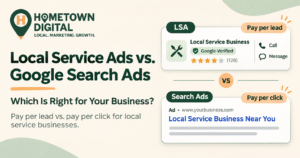
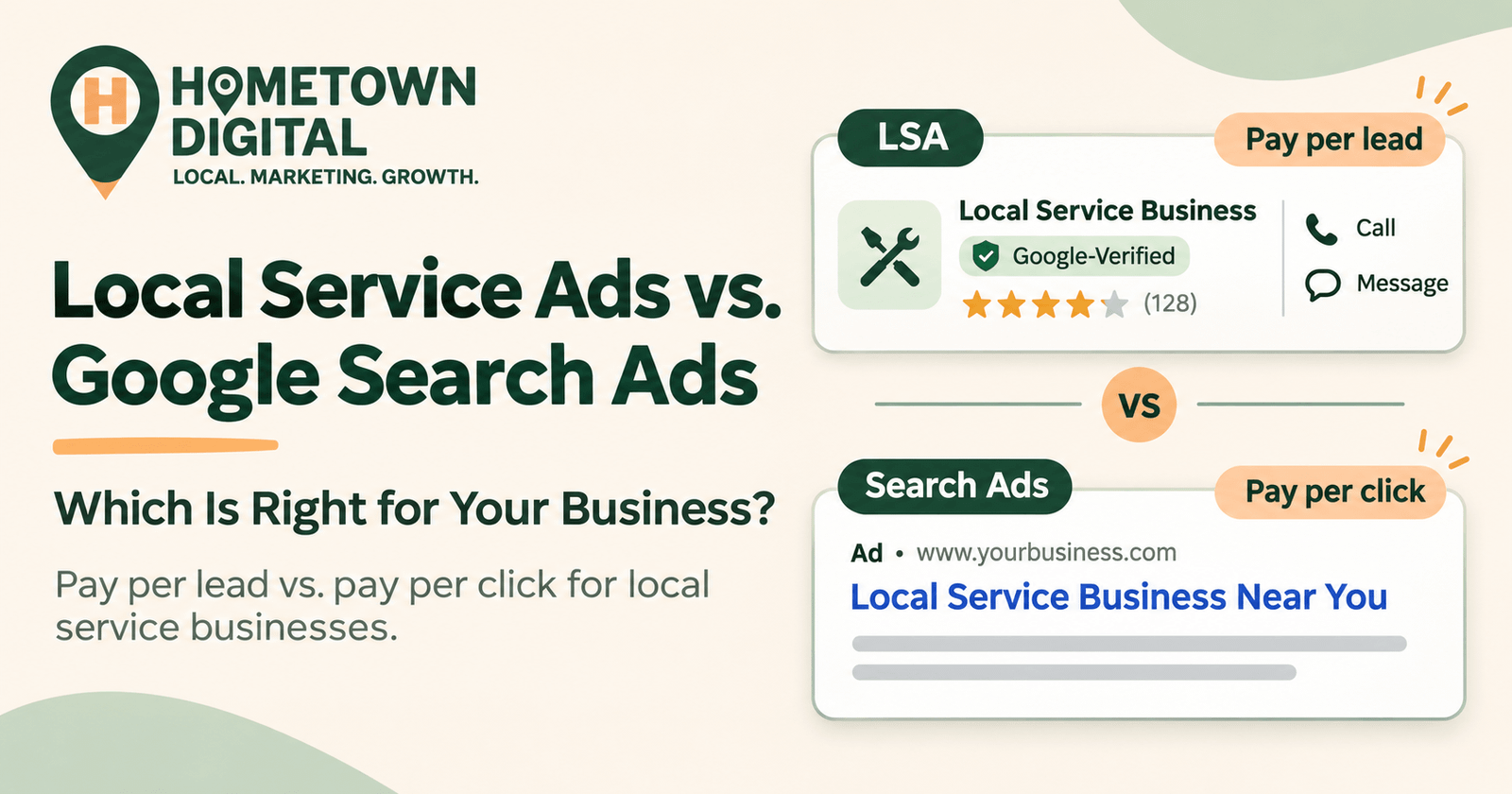
Search “plumber near me” and the first thing on the page usually isn’t a regular ad. It’s a row of local companies with star ratings, a Google Verified check mark, and a call button. Those are Local Service Ads, and when they show up, they sit above everything else on the page.
So here’s the short answer on local service ads vs. Google Search Ads. If you run a home service business that qualifies for Local Service Ads, start there. You pay per lead instead of per click, and those leads usually cost less. Add Google Search Ads when you want control over which jobs you chase, which keywords you show up for, and where people land.
(Quick note on names: Google officially calls them “Local Services Ads.” Most owners say Local Service Ads or LSAs, and we’ll use both.)
Why is this choice so confusing for local business owners?
Because Google sells both products, bills both under “Google Ads,” and in 2026 is literally moving them into the same account. Most owners we talk to know they “run Google Ads” but can’t say which kind, what they’re paying for, or why one month cost twice as much as the last. That’s not on them. It’s genuinely confusing.
We’ve been in the trades ourselves. When you’re on a roof or under a sink all day, you don’t have time to research ad auctions. You want the phone to ring with real jobs at a price that leaves some margin. That’s the lens for everything below.
What’s the difference between Local Service Ads and Google Search Ads?
Local Service Ads charge you per lead, meaning a call, message, or booking, and they appear at the very top of Google with a Google Verified badge. Google Search Ads charge you per click, appear below them, and let you pick your keywords, write your own ad, and send people to your own website. One is simpler to run. The other gives you more control.
Here’s how they line up side by side:
| Local Service Ads | Google Search Ads | |
| How you pay | Per valid lead (call, message, or booking) | Per click |
| Where it shows | Very top of Google Search and Google Maps | Below Local Service Ads, mixed into results |
| Who can run it | Eligible service categories only, after license, insurance, and background checks | Almost any business |
| Keywords | None. Google matches you by service category and area | You choose them |
| Where the customer goes | Your ad profile, then straight to a call or message | Your website or a landing page |
| Trust badge | Google Verified | None |
| Setup time | Days to weeks, depending on verification | Same day |
| Best for | Steady, urgent calls in core trades | Specific jobs, offers, and protecting your business name |
A quick aside if your truck wrap still says “Google Guaranteed.” Google retired that badge on October 20, 2025, along with Google Screened and License Verified by Google, and replaced all three with a single Google Verified badge. The money-back guarantee that came with Google Guaranteed went away at the same time. Worth updating your website and your trucks.
How do Local Service Ads work in 2026?
You choose your service categories, service area, and budget. Google checks your license, insurance, and background, then shows your profile when someone nearby searches for what you do. You only pay when a customer calls, messages, or books through the ad. Your reviews, how fast you respond, and how close you are to the searcher all affect how often you show.
No keyword list, no landing page. That simplicity is the appeal. But two 2026 changes matter.
Local Service Ads are moving into Google Ads
Google announced in July 2026 that Local Service Ads are leaving their standalone dashboard and moving into the main Google Ads platform as a special type of Performance Max campaign with pay-per-lead goals. The rollout started in August 2026 and runs in phases into 2027. Your ads still show only on Search and Maps, and you still pay per lead. What goes away is manual bidding, so you can no longer set a hard maximum price per lead. Google’s automated bidding takes over instead.
Missed calls can now cost you money
Starting October 1, 2026, Google can charge you for a missed call during your listed business hours if the caller stays on the line for more than 20 seconds. Google’s Ads Liaison also clarified that follow-up calls from the same person within 15 days are only charged once.
That one stings for small crews. If you’re a two-truck HVAC company and nobody’s watching the office phone while you’re both on jobs, you’re now paying for calls you never took. Set the business hours in your ad settings to match when someone can actually pick up, or route calls to a phone that gets answered. Honestly, it’s good practice anyway, since Google already rewards responsiveness.
How do Google Search Ads work for a local business?
Google Search Ads are the traditional pay-per-click ads. You pick the keywords, write the ad, set a budget, and pay each time someone clicks through to your website. You control the message and the page people land on. You also pay for clicks that never turn into a call, which is why your website’s ability to convert visitors matters so much here.
We cover this side of things in depth in our complete guide to Google Ads for small businesses. The short version is that Search Ads reward owners who know their numbers. If you know a drain cleaning call is worth a few hundred dollars and a sewer line replacement is worth several thousand, you can build campaigns around the jobs you actually want instead of taking whatever Google sends you.
And that’s the real tradeoff. With Local Service Ads, Google decides which searches you show up for. With Search Ads, you decide.
Which one costs less per lead, Local Service Ads or Google Search Ads?
For most home service trades, Local Service Ads cost less per lead. WordStream estimates the typical Local Service Ads lead at around $60. Its 2026 Google Ads benchmarks, built on more than 13,000 campaigns, put the average Home and Home Improvement search ad lead at $90.92, with clicks averaging $8.33, one of the highest cost-per-click categories it tracks.
The all-industry averages in that same report are $66.69 per lead and $5.42 per click. Home service clicks cost more because lots of contractors bid on the same few searches in the same towns.
But cost per lead isn’t the whole story. A $60 lead from someone outside your service area who wants a quote for a job you don’t do is more expensive than a $110 search lead for a high-ticket install you close. What matters is cost per booked job, and eventually revenue per dollar spent. If you’ve never set a budget for paid search, our post on how much a local business should spend on Google Ads walks through the math.
How often do Local Service Ads actually show up on Google?
Less often than most owners assume. In a 2026 WebFX study of 100 home service keywords searched 500 times, Local Service Ads appeared in about 28% of searches. But when they did appear, they held the top position every single time. Standard Google Search Ads appeared in only about 8% of those searches, usually far down the page.
A few other findings from that study are worth knowing:
- Searches that named a city, like “hvac repair dallas,” triggered Local Service Ads about 49% of the time, nearly double the rate of searches without one.
- The Google Maps Local Pack appeared in roughly 98% of searches, more often than either type of ad.
- When Search Ads did appear, their average first position was 11.3, below the Local Pack and below any Local Service Ads.
Two caveats. The study was a single snapshot from May 2026, pulled mostly from New York and four other large metros, and ad layouts shift by market, device, and time of day. Your results in a smaller town could look different.
The bigger takeaway surprises a lot of owners: the free map listings show up more consistently than either paid option. That’s why we usually tell clients to get their Google Business Profile and local SEO in shape before putting serious money into ads. We break down that decision in Google Ads vs. local SEO: which should you invest in first.
When should you run Local Service Ads first?
Run Local Service Ads first if your trade is eligible, you have a solid review base, and someone can answer the phone during business hours. They’re built for urgent, high-intent calls like a burst pipe, a dead AC unit in July, or a tripped breaker that won’t reset, and once verification is done they ask very little of your time.
Local Service Ads are usually the better first move for:
- Plumbers, HVAC contractors, electricians, roofers, garage door companies, and other eligible home service trades
- Businesses with a strong star rating and a steady flow of new reviews
- Owners who don’t have a high-converting website yet, since LSAs don’t send people to your site
- Crews that can return calls and messages fast
Reviews carry real weight in how Local Service Ads rank, so if your count is thin, start there. Our guide on how to get more Google reviews covers how to ask without breaking Google’s rules.
When are Google Search Ads the better call?
Google Search Ads make more sense when your business isn’t eligible for Local Service Ads, when you want to target specific high-value jobs, or when you need control over the message. They’re also the only one of the two that lets you run a promotion, send people to a specific landing page, and remarket to visitors who left without calling.
Search Ads are usually the better fit for:
- Businesses outside the Local Service Ads categories, including most restaurants and retail shops
- High-margin work you want more of, like generator installs, panel upgrades, or full roof replacements
- Seasonal offers with their own landing page, such as a fall furnace tune-up special
- Protecting your business name when competitors bid on it
One honest warning. Search Ads are only as good as the page they send people to. We’ve reviewed plenty of contractor accounts where the ads were fine and the website was the leak: slow on a phone, phone number buried, no reviews in sight. Fix that before you buy more clicks.
Should you run Local Service Ads and Google Search Ads together?
Often, yes, once the basics are in place. The two don’t fight for the same spot. Local Service Ads take the top position when they appear, and Search Ads cover the searches where LSAs don’t show, the jobs Google won’t match you to, and the offers you want to test. Running both means you show up on more of the page.
Here’s the order we usually recommend for a local service business:
- Get your Google Business Profile and reviews in shape so you show up in the free map results.
- Get verified and turn on Local Service Ads for your core, urgent services.
- Track which leads turn into booked jobs for at least 60 days.
- Add Google Search Ads for the specific jobs, areas, or offers your Local Service Ads aren’t covering.
At Hometown Digital, this is roughly how we set up Google Ads and Local Service Ads for home service clients. Not every business needs both on day one, though. Plenty of owner-operators do fine with Local Service Ads and a strong Google Business Profile for a long time.
What does this look like in practice?
Picture a three-truck plumbing company in a mid-sized metro. They’re spending about $1,500 a month on Search Ads, getting decent clicks, and still buying shared leads from Angi during slow weeks.
Here’s how we’d typically approach it. First, get them Google Verified and move a big share of that budget into Local Service Ads for drain cleaning, leak repair, and no-hot-water calls, the urgent work where the top spot wins the call. Set the ad’s business hours to match when the office actually answers, which matters more after the October billing change. Keep a smaller Search Ads campaign running for water heater replacements and repiping, the bigger tickets that deserve their own landing pages. After two months, compare booked jobs and revenue from each channel and shift money toward the winner.
That’s an illustration, not a promise. But it beats splitting the budget down the middle and hoping.
Common Questions About Local Service Ads vs. Google Search Ads
Are Local Service Ads cheaper than Google Search Ads?
Usually, on a cost-per-lead basis. WordStream estimates the typical Local Service Ads lead at around $60, while its 2026 benchmarks put the average home improvement search ad lead at $90.92. Your real cost depends on your trade, your market, and the time of year.
Do I need a website to run Local Service Ads?
No. Local Service Ads send customers to your ad profile and your phone, not your website. That said, most homeowners still look you up before they hire, and you’ll need a solid site if you ever run Search Ads.
What happened to the Google Guaranteed badge?
Google retired it on October 20, 2025, along with the Google Screened and License Verified by Google badges. Every verified advertiser now shows a single Google Verified badge, and the old money-back guarantee was discontinued.
Will Google charge me for calls I miss?
In some cases, yes. Since October 1, 2026, a missed call during your listed business hours can be billed as a lead if the caller stays on the line for more than 20 seconds. Keep your ad’s business hours accurate and make sure someone covers the phone.
Can I run Local Service Ads and Google Search Ads at the same time?
Yes, and many home service businesses do. Local Service Ads take the top spot when they appear, while Search Ads let you target specific jobs, offers, and areas the Local Service Ads miss.
Are Local Service Ads going away?
No. Google is moving them into the main Google Ads platform as a pay-per-lead Performance Max campaign, rolling out in phases from August 2026 into 2027. They still show only on Search and Maps, and you still pay per lead.
Ready to Get More Calls From Google?
Not sure if paid advertising makes sense for your business right now? Book a free 30-minute strategy call and we’ll look at your market, your margins, and give you an honest answer about Local Service Ads, Search Ads, or neither. If you’d rather start by seeing where you stand on Google today, grab a free website audit first.